Instant Access
One login opens the full 247Vibes catalogue: slots from Pragmatic Play, live tables from Evolution Gaming and Ezugi, and the sports betting section.
Everything About the Login at 247Vibes
Sign in to access slots, live tables and sports betting from your 247Vibes account on any device.
Keep Your Account Secure
What You Should Do
What You Should Avoid
What Your Login Gives You
Instant Access
One login opens the full 247Vibes catalogue: slots from Pragmatic Play, live tables from Evolution Gaming and Ezugi, and the sports betting section.
Secure Session
Your credentials are transmitted over an encrypted connection. Two-factor authentication is available to protect your account at every sign-in.
All Devices
The 247Vibes login works in any desktop or mobile browser, in the Android APK, and in the iOS PWA without a separate app-store account.
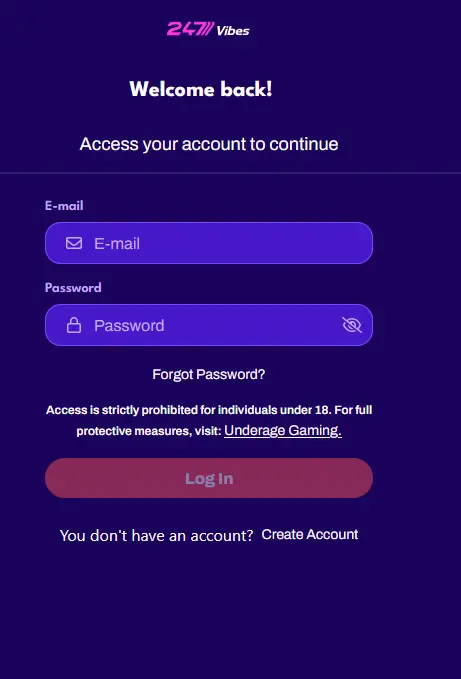
The 247Vibes login uses a registered email address and password across all access methods, including the desktop site, mobile browser, Android APK, and iOS PWA. The steps below describe the exact process on each platform.
Open 247vibes.app in any desktop browser and click the Login button in the upper navigation bar. Enter the email address used at registration and your account password, then click Sign In. If two-factor authentication is active on your account, enter the one-time code from your authenticator application when the prompt appears before the session opens.
Navigate to 247vibes.app in your phone or tablet browser. The site renders in a mobile-optimised layout. Tap the Login button, enter your registered email and password, and confirm sign-in. Slots from Pragmatic Play, live tables from Evolution Gaming, and sports markets all load immediately after the account is authenticated.
On the Android APK, the login screen appears on launch when no active session is stored. Enter your email and password and tap Sign In. On the iOS PWA, the same login form opens from the home-screen shortcut. Where biometric authentication is supported on your device and has been enabled in account settings, fingerprint or Face ID can replace the password entry from the second login onwards.
247Vibes authenticates all players with an email address and password combination. The email address registered at sign-up is the permanent account identifier and cannot be reassigned to a different address after the account is verified. Passwords must meet the complexity rules set during registration and can be updated at any time in the account security section.
Two-factor authentication is available as an additional security layer and is strongly recommended for all active accounts. When enabled, a valid six-digit one-time code from an authenticator application is required at every sign-in session, applying across the desktop site, mobile browser, Android APK, and iOS PWA simultaneously.
The most frequent cause of login difficulty is a forgotten password. This is resolved through the Forgot Password link on the sign-in screen: enter the registered email address, check the inbox for the reset message, and follow the secure link to set a new password. If the email does not arrive within a few minutes, check the spam or junk folder before requesting another reset.
When repeated incorrect password entries cause a temporary account lock, the quickest resolution is to use the password reset flow rather than continuing to attempt the current credentials. If the registered email address is no longer accessible, contact the support team at [email protected] with identity documents to begin a manual account recovery process.
A two-factor authentication code that is rejected at login is typically caused by a time synchronisation issue on the device running the authenticator app. Ensure the device clock is set to update automatically, as authenticator codes are time-sensitive. If the problem continues after resynchronising, contact [email protected] to manage the 2FA settings on the account directly.
A strong and unique password is the baseline of account protection. Combine uppercase letters, lowercase letters, numbers, and at least one special character, with a total length of 12 characters or more, and avoid reusing a password from any other service or email account.
Enabling two-factor authentication in the security settings adds a second verification step that is required at every login, meaning a compromised password alone is insufficient to access the account. This setting applies immediately across all platforms once activated and covers the Android APK and iOS PWA alongside the desktop site.
Signing out after each session is the correct practice on any device that other people may access. Although sessions expire automatically after a period of inactivity, an explicit logout at the end of each visit is the safest approach on shared computers, hotel terminals, or public devices.
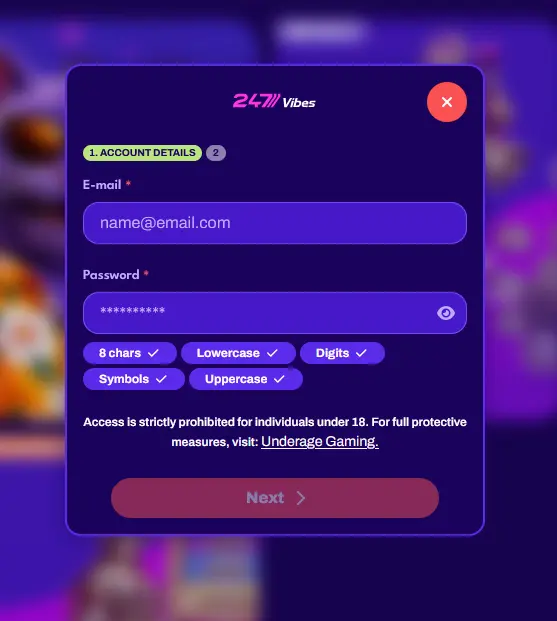
Registration at 247Vibes is open to players aged 18 and over. Complete the sign-up form with your personal details, a valid email address, and a chosen password, then confirm the registration email to activate the account. Once registered, the welcome offer selection presents the option to choose between the 150% deposit bonus and the 300 free spins available through the Pick Your Way In promotion. The minimum age of 18 is enforced under the terms of the Tobique Gaming Commission licence No. 0000049.
Login Help
Click the Forgot Password link on the 247Vibes login page, enter your registered email address, and follow the reset link sent to your inbox to set a new password.
Yes, the 247Vibes login form works in any mobile browser; you can also install the Android APK or add the iOS PWA for a dedicated home-screen experience.
Repeated failed login attempts trigger a temporary security lock; use the password reset function or contact [email protected] to restore access.
Sign In to 247Vibes
Grab 150% up to €300 and 300 free spins.
Enter the Casino Play responsibly: our games are for those 18 and older, and every bonus carries its own terms.